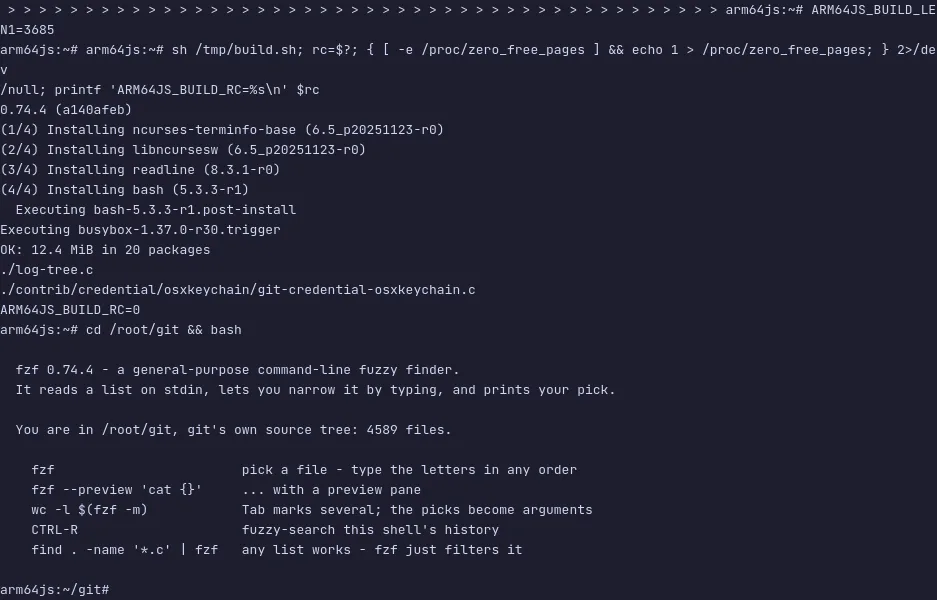
fzf is a general-purpose command-line fuzzy finder — it reads any list, narrows it down as you type a few of the letters in any order, and prints what you picked. Pipe something in, or let it walk the files for you.
Because it reads standard input and writes the choice to standard output,
it slots into anything: vim $(fzf), git checkout $(git branch | fzf),
kill $(ps aux | fzf | awk '{print $2}'). The shell integration adds
three keys — Ctrl-R for history, Ctrl-T for files, Alt-C for
directories — that most people stop being able to live without within a
week. A preview window shows the file, commit or man page under the
cursor before you pick it.
The demo starts in git's own source tree, so there is plenty to search.
Run fzf and type bltcommit to land on builtin/commit.c, add
--preview 'cat {}' to see a file before choosing it, or press CTRL-R
to fuzzy-search the shell's history. The VM is private to your browser
tab; nothing you type leaves it.
Commands to try
fzf | walk the files under the current directory and pick one |
fzf --preview 'cat {}' | the same, with the file shown before you choose |
Ctrl-R | fuzzy-search the shell history |
Ctrl-T | put the chosen file on the command line |
Alt-C | change into a chosen directory |
fzf -m | pick several entries with Tab |
Install fzf on your own machine
| Alpine | apk add fzf |
| Debian / Ubuntu | apt install fzf |
| macOS (Homebrew) | brew install fzf |
| Go | go install github.com/junegunn/fzf@latest |
This VM was last built on Oct 11, 2026. How Demoshell demos work →
Similar tools you can try here
- ripgrep — The very fast regex search tool that respects .gitignore, running over git's own source tree in a private Linux VM.
- Meilisearch — A search engine with typo tolerance, prefix matching and facets on by default, over 31,944 movies in a private VM.