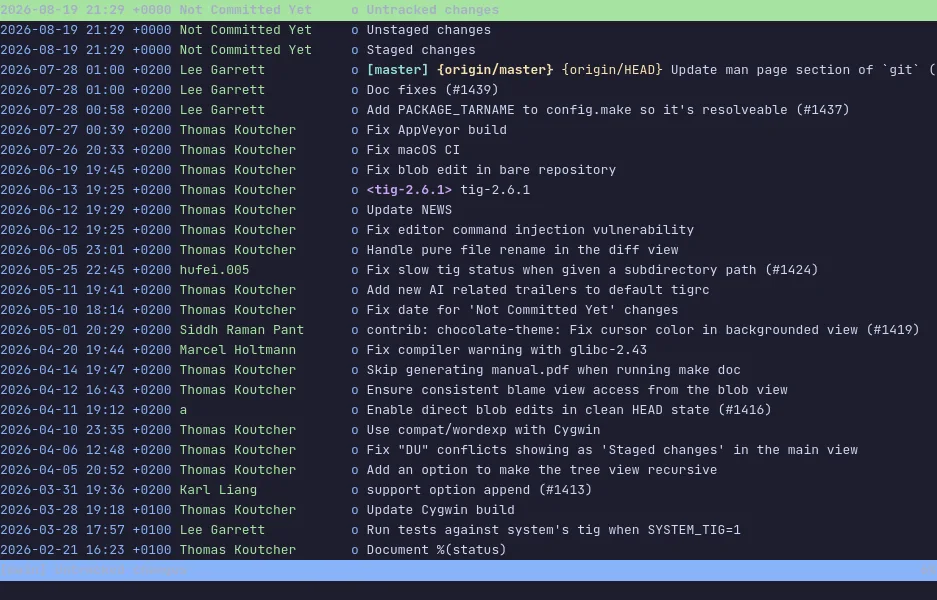
tig is an ncurses front end to git: walk the log with the arrow keys and the diff of whatever line you are on is one keystroke away. It reads a repository the way you would read a book — and it stages files too.
It started as a pager for git log and grew into a set of views — main,
diff, tree, blame, status, refs — that open on top of each other and
close with q. Because it is a viewer first, it is the tool to reach for
when you want to understand a repository rather than change it, and it
runs comfortably over ssh on any machine that has git.
The demo opens tig's own repository, 400 commits deep. Move with j and
k, press Enter to open the commit under the cursor, t to see the tree
as it was at that commit, and s for the status view with three pending
changes in it. h lists every key. The VM is private to your browser tab;
nothing you type leaves it.
Keys to know
j / k | move down and up the log |
Enter | open the commit under the cursor in a split diff |
t | the tree as it was at that commit |
s | the status view |
u | stage or unstage the file under the cursor (status view) |
b | blame the file under the cursor |
/ | search |
q | close the current view |
h | show every key |
Install tig on your own machine
| Alpine | apk add tig |
| Debian / Ubuntu | apt install tig |
| Fedora | dnf install tig |
| macOS (Homebrew) | brew install tig |
This VM was last built on Oct 15, 2026. How Demoshell demos work →
Similar tools you can try here
- lazygit — The terminal UI for git that stages lines, commits, rebases and browses branches from the keyboard, live in a private VM.
- gitui — The fast Rust git client for the terminal that stages hunks, commits and reads the log, with every key listed on screen.
- delta — The syntax-highlighting pager that makes git diff readable, with line numbers and side-by-side view, live in a private VM.
- Worktrunk — The CLI that makes git worktrees as easy as branches, from create to merge, live in a private Linux VM.